PROJECT 2: INTRODUCTION
For the second project, we were tasked with designing a UX for Cardan, a company specializing in accessibility solutions for people with disabilities. Working collaboratively in a team, we developed a concept for a digital simulation tool that reflects the purpose of Cardan’s physical accessibility devices. The goal was to translate these tools—used to test websites and apps for WCAG compliance—into an interactive, online prototype. Throughout the project, we conducted performed testing, and iterated based on feedback to create a prototype that both meets the technical requirements and stays true to Cardan’s mission.
PROJECT PLAN
To support our teamwork during the Cardan project, I helped create a detailed project plan outlining research goals, problem definitions, deliverables, and workflow agreements. Using Trello, Figma, and Discord, we organized tasks, designs, and communication, while setting clear expectations for deadlines and responsibilities. This structured approach provided a strong foundation for a smooth and professional project execution.
PROJECT 2: RESEARCH PROCESS
To kick off the development process for Cardan’s digital Ervaringsplein, I began by thoroughly analyzing their current approach, which relies on physical tools such as simulation glasses for visual impairments and a tactile button for blind users to navigate websites. These tools are currently used to test websites and applications for compliance with WCAG guidelines. In addition, we held a discussion with the Cardan team to gain deeper insight into their vision, accessibility goals, and technical requirements. Below is an overview of the steps I took during the research phase:
RESEARCH: CARDAN WEBSITE
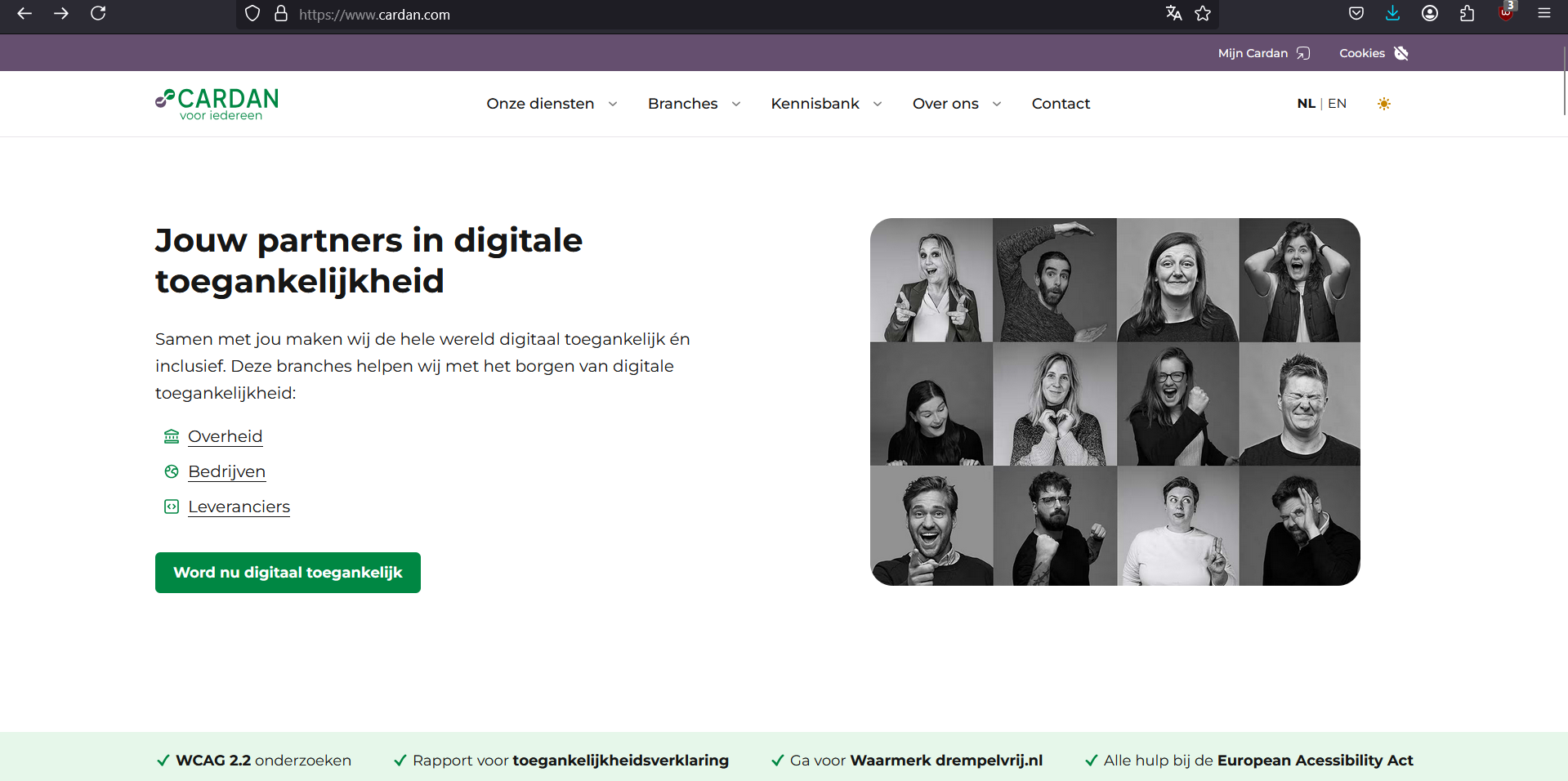
To kick off the project for Cardan, I began by thoroughly analyzing their existing website to understand how they currently present themselves to their audience. This already provided a lot of insight into the style and goal of Cardan as a company. Below is a screenshot of the website:
RESEARCH: FIRST MEETING
This document summarizes the key points from our first meeting with Carolina from Cardan regarding the digitalization of their Experience Plaza. The discussion covered a practical test case involving the ordering of a red towel to identify common accessibility issues, an overview of what digital accessibility entails, relevant legislation such as the Digital Government Act and the European Accessibility Act, and a reflection on current strengths and areas for improvement. The meeting concluded with a clear assignment: to translate the physical Experience Plaza into a digital experience.
MY QUESTIONS FOR THE RESEARCH PROPOSAL
1. What technologies and tools are available to effectively simulate different types of disabilities (visual, auditory, motor, cognitive)?
2. What are the biggest obstacles people with disabilities face when navigating and using digital services?
3. Which laws and regulations related to digital accessibility (such as WCAG and EU legislation) have the greatest impact on businesses and developers?
4. What are the most common mistakes companies make when implementing digital accessibility?
5. What role do color contrast and typography play in improving readability for people with visual or cognitive impairments?
PROCESS OF ELIMINATING RESEARCH QUESTIONS
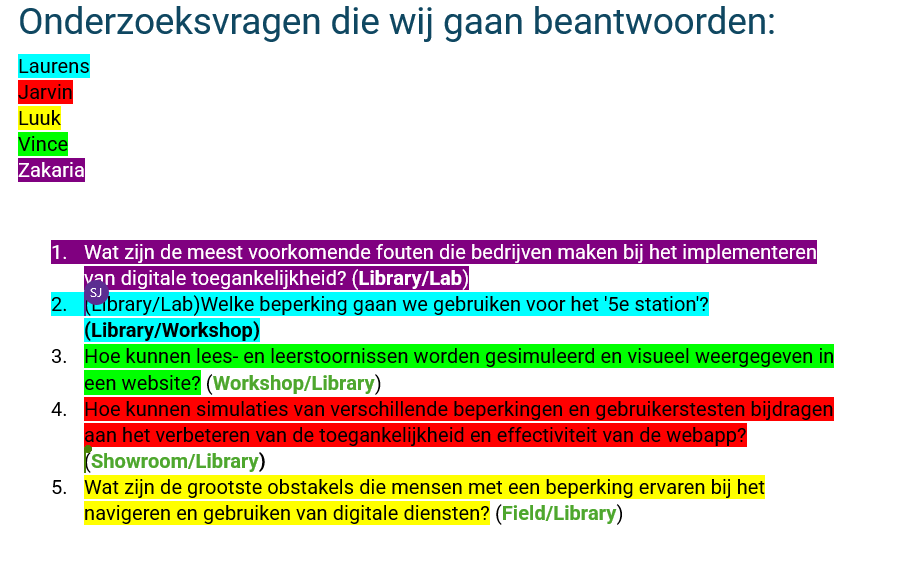
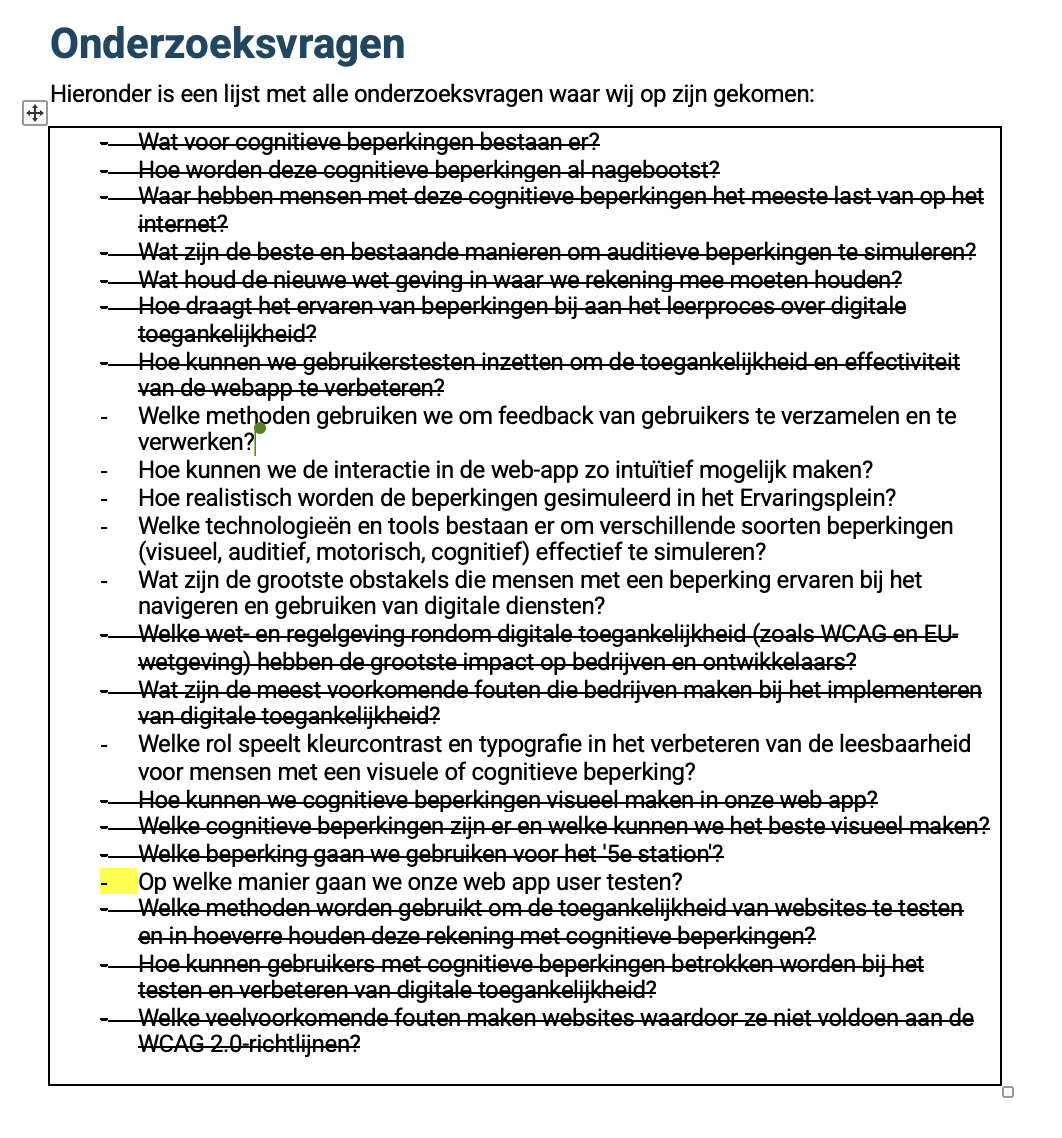
In preparation for our project on digital accessibility, we collaboratively made 5 research questions each. After that we selected and refined a set of key research questions that we aimed to answer. Each question addresses a specific aspect of accessibility, from common implementation errors to the simulation of disabilities in digital environments. To ensure a clear division of tasks and accountability, each group member was assigned one or more questions, highlighted in a unique color.
MY SELECTED RESEARCH QUESTION ANSWERED
1. Geen betrokkenheid van mensen met een beperking
Veel bedrijven nemen beslissingen over toegankelijkheid zonder input van de mensen die er het meest door worden beïnvloed.
2. Toegankelijkheid pas achteraf toepassen
Bedrijven bouwen eerst een website of applicatie en proberen pas later toegankelijkheidsproblemen op te lossen, wat duurder en minder effectief is.
3. Vertrouwen op geautomatiseerde toegankelijkheidstests
Hoewel automatische toegankelijkheidsscanners nuttig zijn, detecteren ze lang niet alle problemen. Menselijke evaluatie is essentieel.
4. Gebrek aan kennis bij ontwikkelaars
Ontwikkelaars en designers missen vaak de juiste training en kennis over toegankelijkheidsnormen, zoals WCAG (Web Content Accessibility Guidelines).
5. Gebrek aan representatie
Zonder een aangewezen verantwoordelijkheid voor toegankelijkheid verdwijnt het vaak van de agenda.
6. Gebrek aan doorlopende tests en evaluaties
Toegankelijkheid is geen eenmalig project; het vereist voortdurende controle en aanpassingen.
RESEARCH: FIRST PRESENTATION FEEBACK
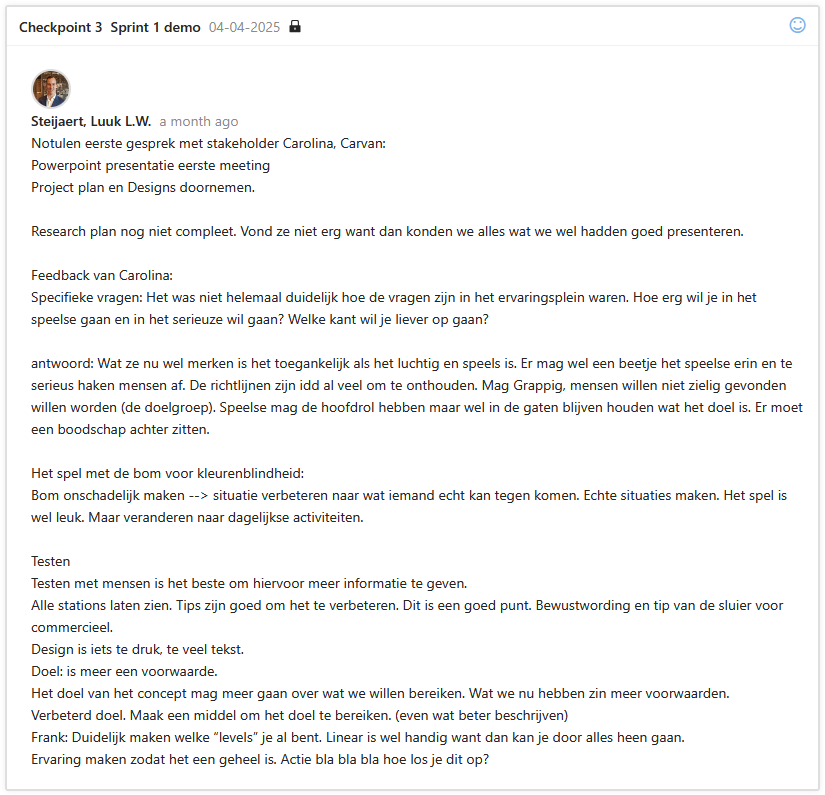
During our first presentation to Carolina from Cardan, she gave valuable feedback for improving our final version. She appreciated the playful tone but emphasized the need for a clear and meaningful message. Concepts like the colorblindness game should relate more to real-life situations. She also recommended user testing at all stations, simplifying the design, and setting clearer goals—possibly using a level-based structure to guide users through the experience.
PROJECT 1: DESIGN PROCESS
After completing a quick research and getting a feel for the client's style, I moved into the design phase. Throughout the design process I gathered feedback from professionals. The things I was able to achieve within 4 weeks can be found below:
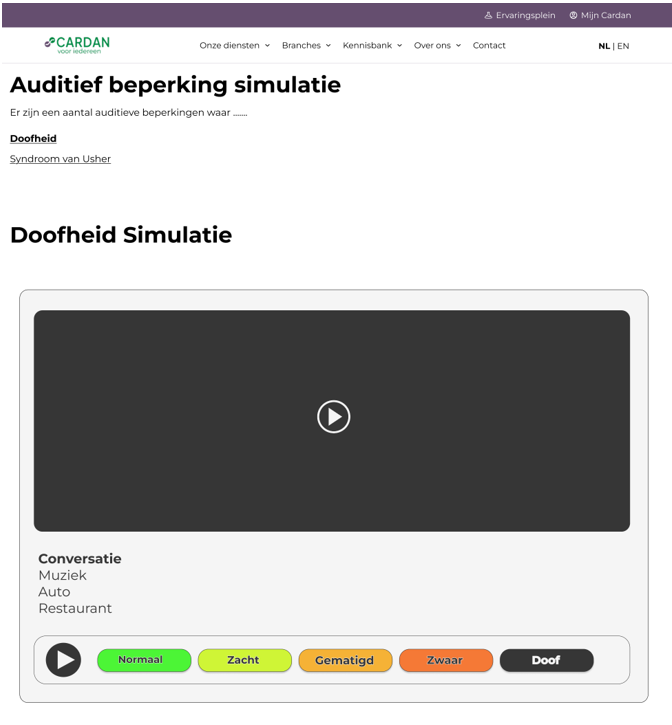
FIRST AUDITIVE PROTOTYPE
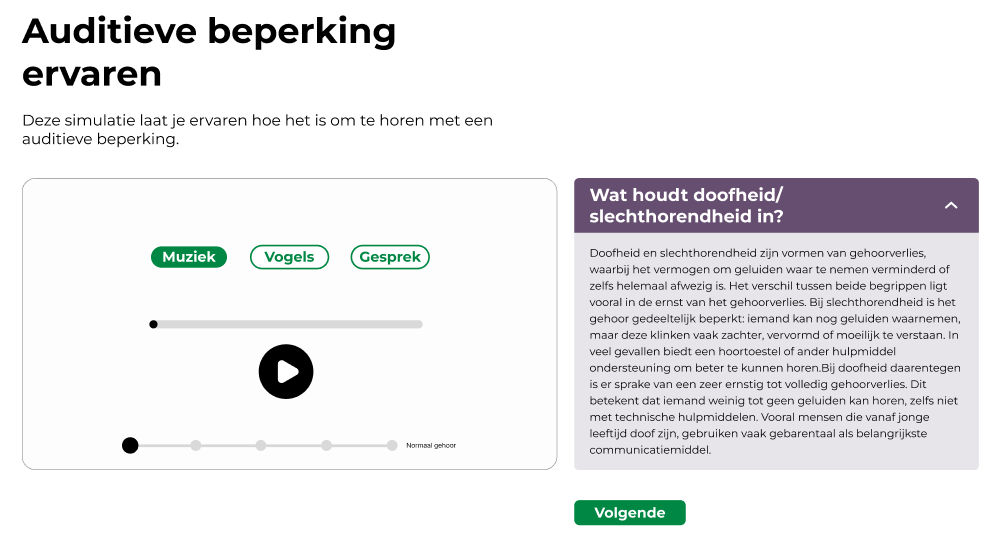
I made this mid term auditive prototype for Cardan.
FIRST POWERPOINT
FINAL AUDITIVE DESIGN